Deployment sites
A deployment site is the location workloads are deployed to: a central cluster ("Default Cloud") or a named edge cluster. The Communication Operator that serves the location registers against it. Adapters and applications are hosted by exactly one deployment site.
Open it with Integration > Deployment sites.
The list
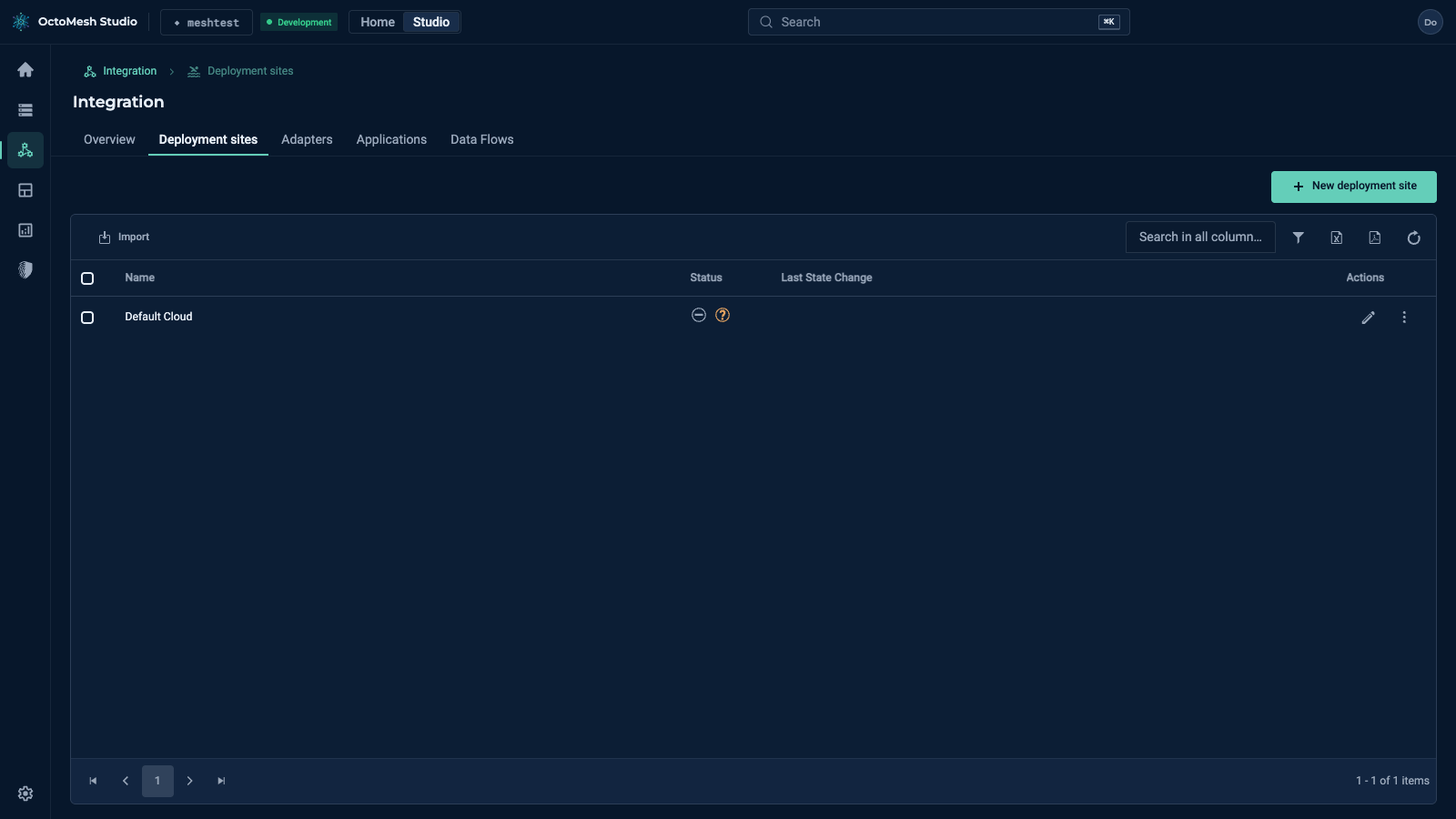
The list shows Name, Status and Last State Change. The status is Unregistered, Online or Offline. The toolbar has New deployment site and Import, plus the usual Show Row Filter, Export to Excel, Export to PDF and Refresh Data.
The Actions menu of a row offers Deploy deployment site, Undeploy deployment site, Show events, Duplicate, Export, Copy ID and Delete. The pencil opens the details.
The details
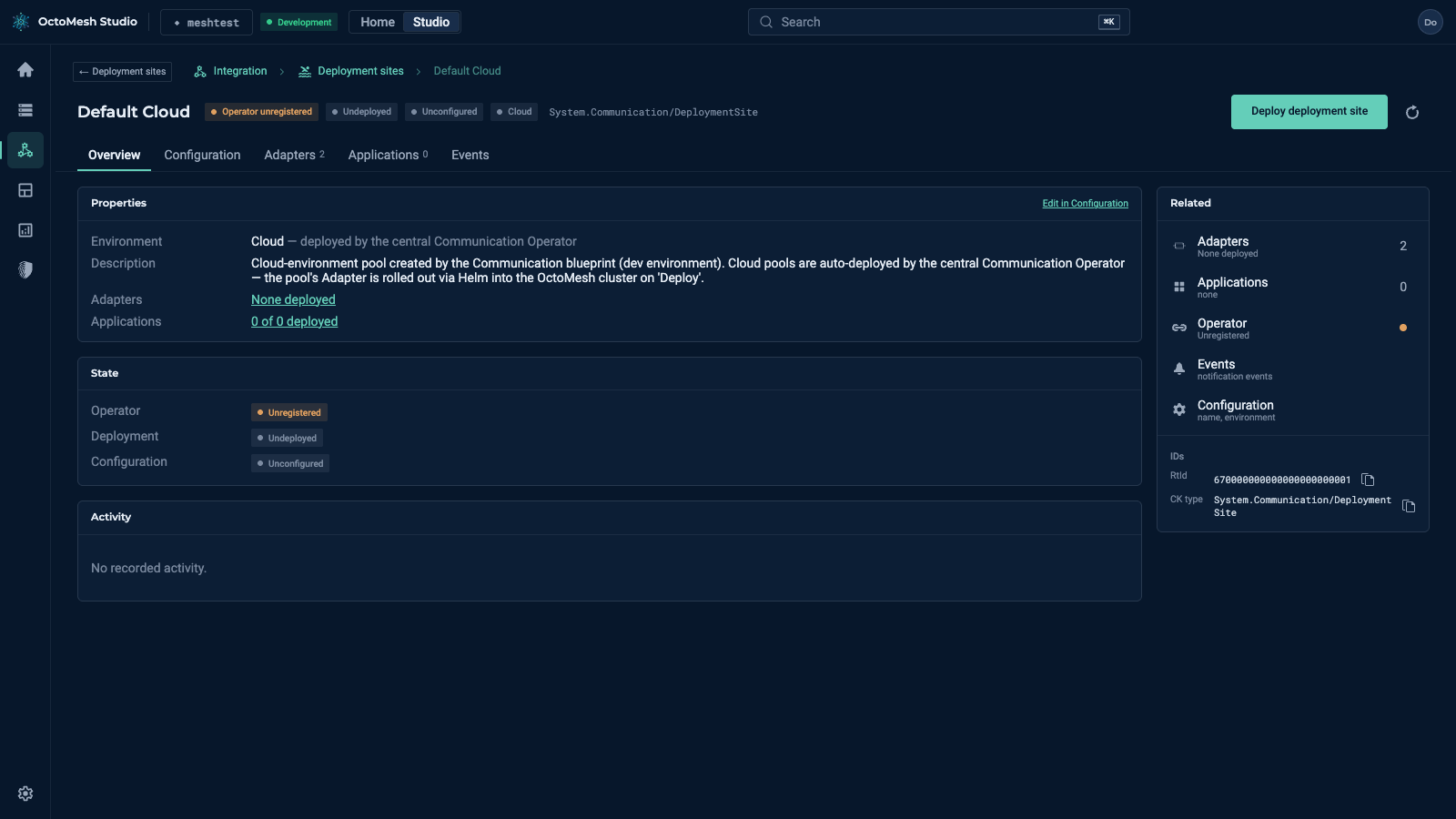
A click on a site opens its page. The header shows the name, the operator state (for example Operator unregistered), the deployment state (Undeployed) and the configuration state, with the button Deploy deployment site. For a cloud site the Studio notes that cloud sites are provisioned by the central Communication Operator.
The tabs are Overview (environment, description, adapter and application counts, state, activity), Configuration (name, environment), Adapters, Applications and Events. The panel Related links to the adapters and applications of the site.
An adapter belongs to one deployment site; to change it, use Move… on the adapter (see Adapters).
More
Deployment Sites in the Technology Guide explains the operator, the states and the installation of an edge site.