Overview
OctoMesh uses Communication Operators to manage distributed computing resources using Kubernetes. The Communication Operators are responsible for managing the lifecycle of a Deployment Site's workloads — Adapters (Plugs and Sockets) and Applications (containerized business applications) — including creating, updating, and deleting them. Each workload is deployed from a Helm chart via helm upgrade --install; see Communication Operator for details.
Every Communication Operator is tenant independent and may serve one or more Deployment Sites. A Deployment Site is a location that workloads are deployed to — "Default Cloud", or a named edge cluster such as "k8sfirmianstrasse" — and the operator serving that location registers against it. A Communication Operator can run at the edge or centrally alongside the Communication Controller. A Deployment Site usually has a separate namespace in Kubernetes.
A Deployment Site is also a runtime entity stored in OctoMesh's Asset Repository. Deployment Sites are tenant specific. This allows you to manage and monitor them in Refinery Studio.
This concept was called a Pool until System.Communication 4.0.0. It never described a pool of anything: it is the location a workload is deployed to. The old name became actively misleading when the same release introduced the Adapter Pool — a genuine pool of adapter processes that are leased to tenants — so two unrelated concepts would have shared one word.
The rename reaches the whole stack: the Kubernetes custom resource is now DeploymentSite (deploymentsites.octo-mesh.meshmakers.io, API version v1), and the Helm values that configure the operator are operator.autoManageDeploymentSites, operator.deploymentSiteNamespace and operator.defaultDeploymentSiteName.
The octo-cli verbs and the MCP tools were renamed with it: GetPools → GetDeploymentSites, DeployPool → DeployDeploymentSite, UndeployPool → UndeployDeploymentSite, and get_pools → get_deployment_sites, undeploy_pool → undeploy_deployment_site. The -id argument is now --deploymentSiteRtId. Scripts written against the old verbs need updating.
Installation
See chapter Installation for more information on how to install a Deployment Site.
Communication State of a Deployment Site
The communication status of the Deployment Site. Possible values are Unregistered, Online, Offline.
Unregistered: The Deployment Site never registered to the OctoMesh platform.Online: The Deployment Site is registered and online.Offline: The Deployment Site is registered but offline.
There is a field CommunicationStateTimestamp that shows the timestamp of the last communication state change.
Deployment Sites in Refinery Studio
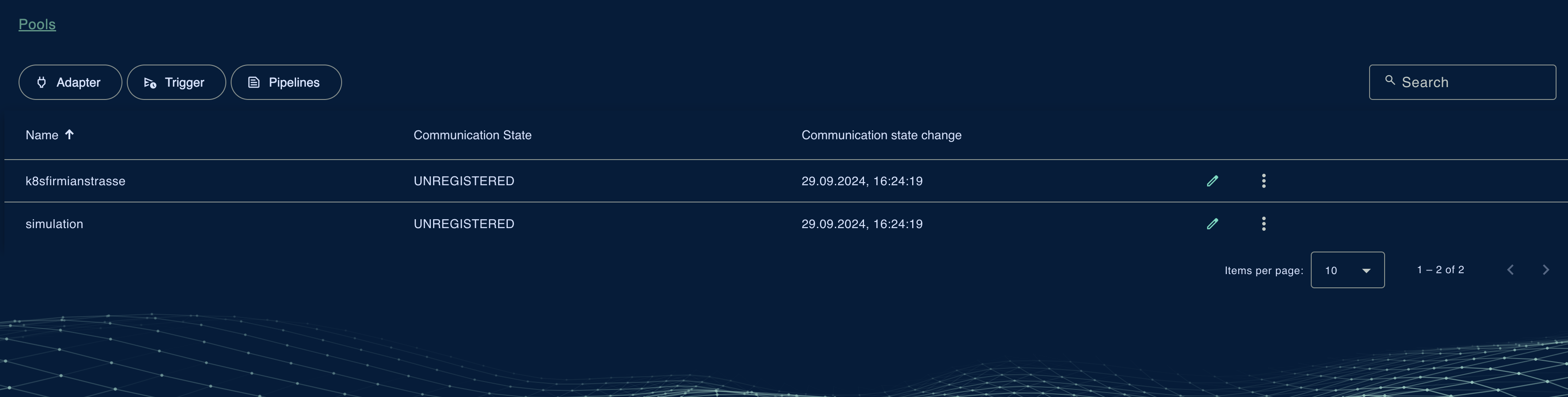
Deployment Sites can be managed in Refinery Studio under the Communication/Deployment Sites tab. The overview provides information about the Deployment Site's status and allows you to perform operations on it.
Operations
The following operations can be performed on a Deployment Site:
- Edit: Edit the Deployment Site's configuration.
- Deploy Adapters: Deploy the Deployment Site's Adapters.
- Undeploy Adapters: Undeploy the Deployment Site's Adapters.
- Delete: Delete the Deployment Site's configuration and remove it from the Asset Repository.
Edit View of a Deployment Site
The Edit view of a Deployment Site allows you to edit its configuration. This includes the name, an optional description, see the communication state and the last update timestamp of the communication state.
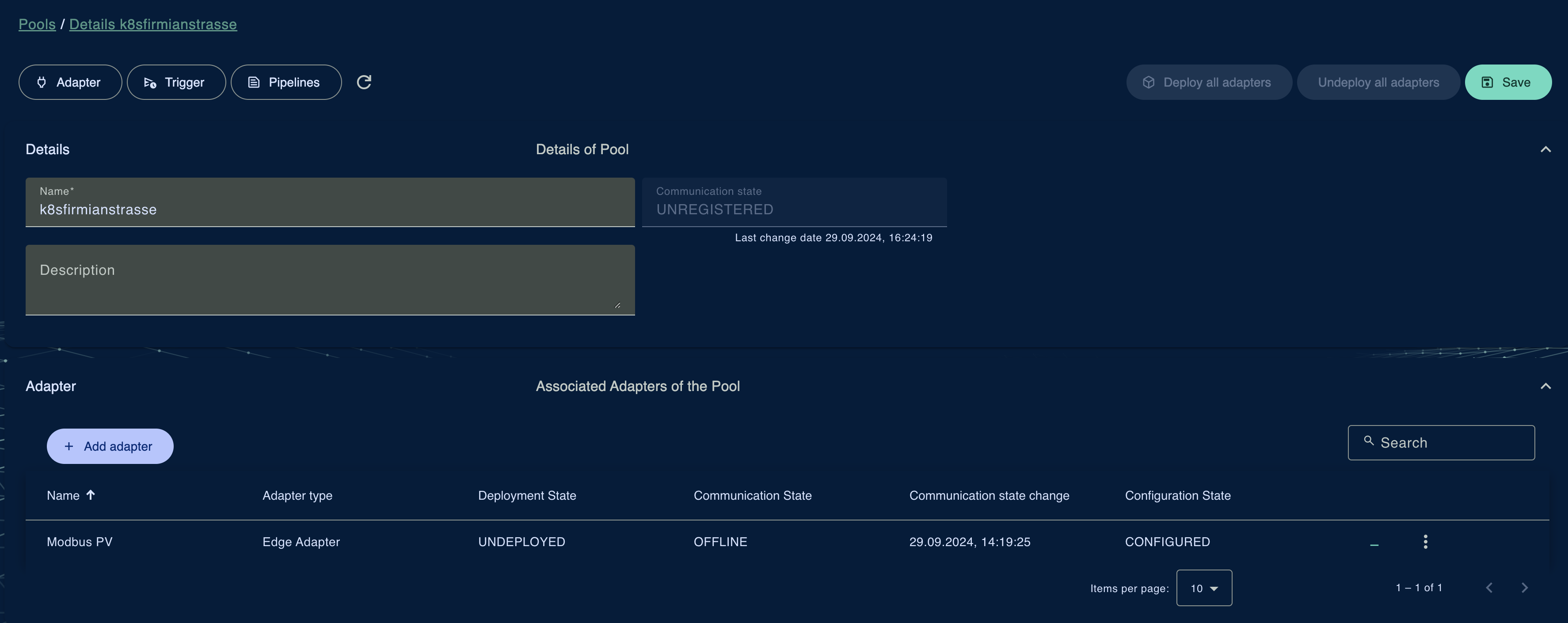
Furthermore, you can add or remove Adapters that are hosted by the Deployment Site. You can see the Adapter's name, type, communication state, configuration state, and deployment state.
An Adapter can only be hosted by one Deployment Site at a time.