Connections
Settings > Connections holds the credentials and endpoints of external systems that adapters and pipelines use. The page replaces the former Configurations page: there is no toolbar with one button per type any more. Every connection type is a card; a card shows "Not configured" or the number of entries ("2 connections"). A click opens the list of that type, and New … creates an entry.
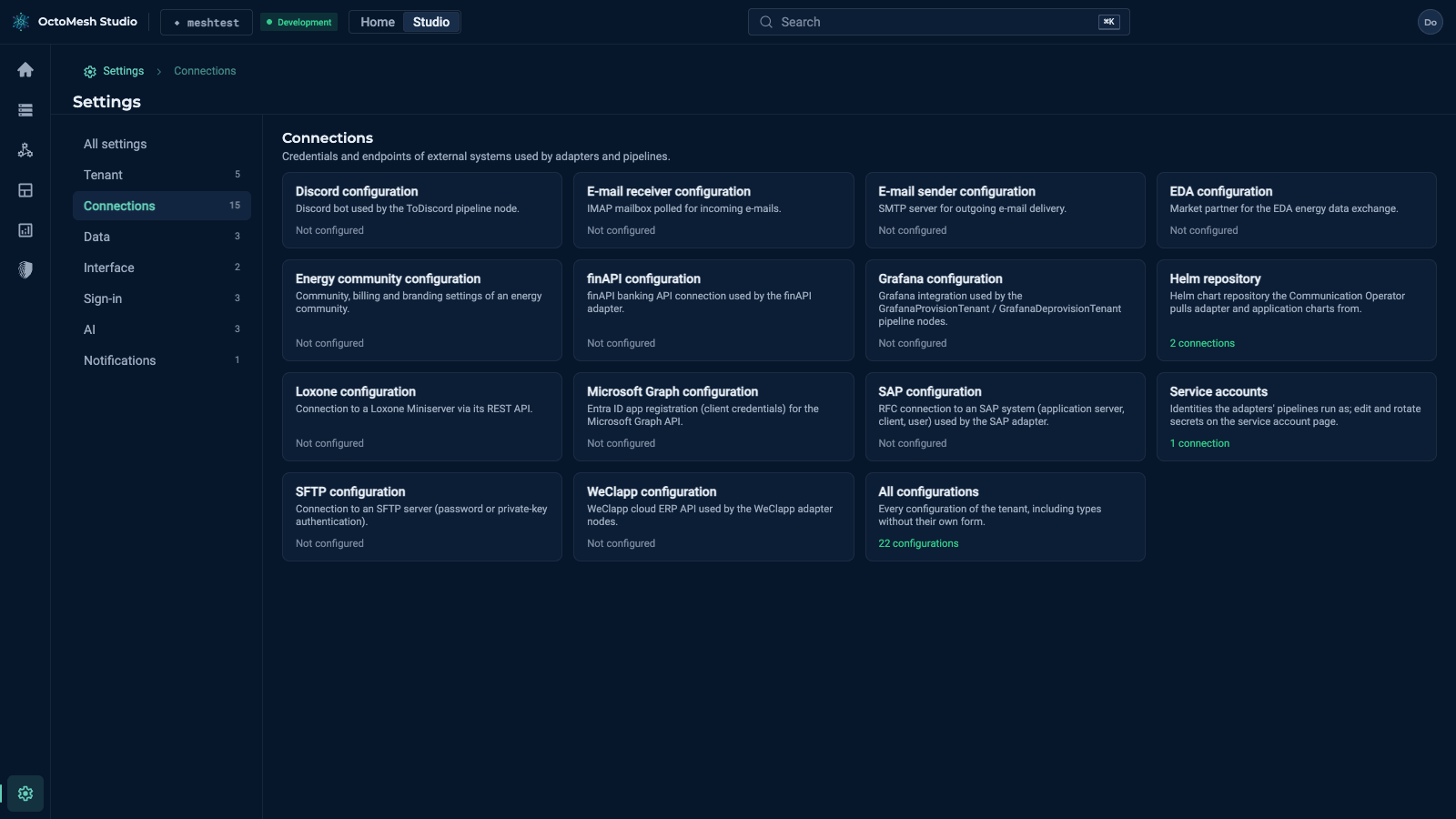
Connection types
| Card | Purpose |
|---|---|
| Discord configuration | Discord bot used by the ToDiscord pipeline node |
| E-mail receiver configuration | IMAP mailbox polled for incoming e-mails |
| E-mail sender configuration | SMTP server for outgoing e-mail delivery |
| EDA configuration | Market partner for the EDA energy data exchange |
| Energy community configuration | Community, billing and branding settings of an energy community |
| finAPI configuration | finAPI banking API connection used by the finAPI adapter |
| Grafana configuration | Grafana integration used by the Grafana provisioning pipeline nodes |
| Helm repository | Helm chart repository the Communication Operator pulls adapter and application charts from |
| Loxone configuration | Connection to a Loxone Miniserver via its REST API |
| Microsoft Graph configuration | Entra ID app registration (client credentials) for the Microsoft Graph API |
| SAP configuration | RFC connection to an SAP system (application server, client, user) used by the SAP adapter |
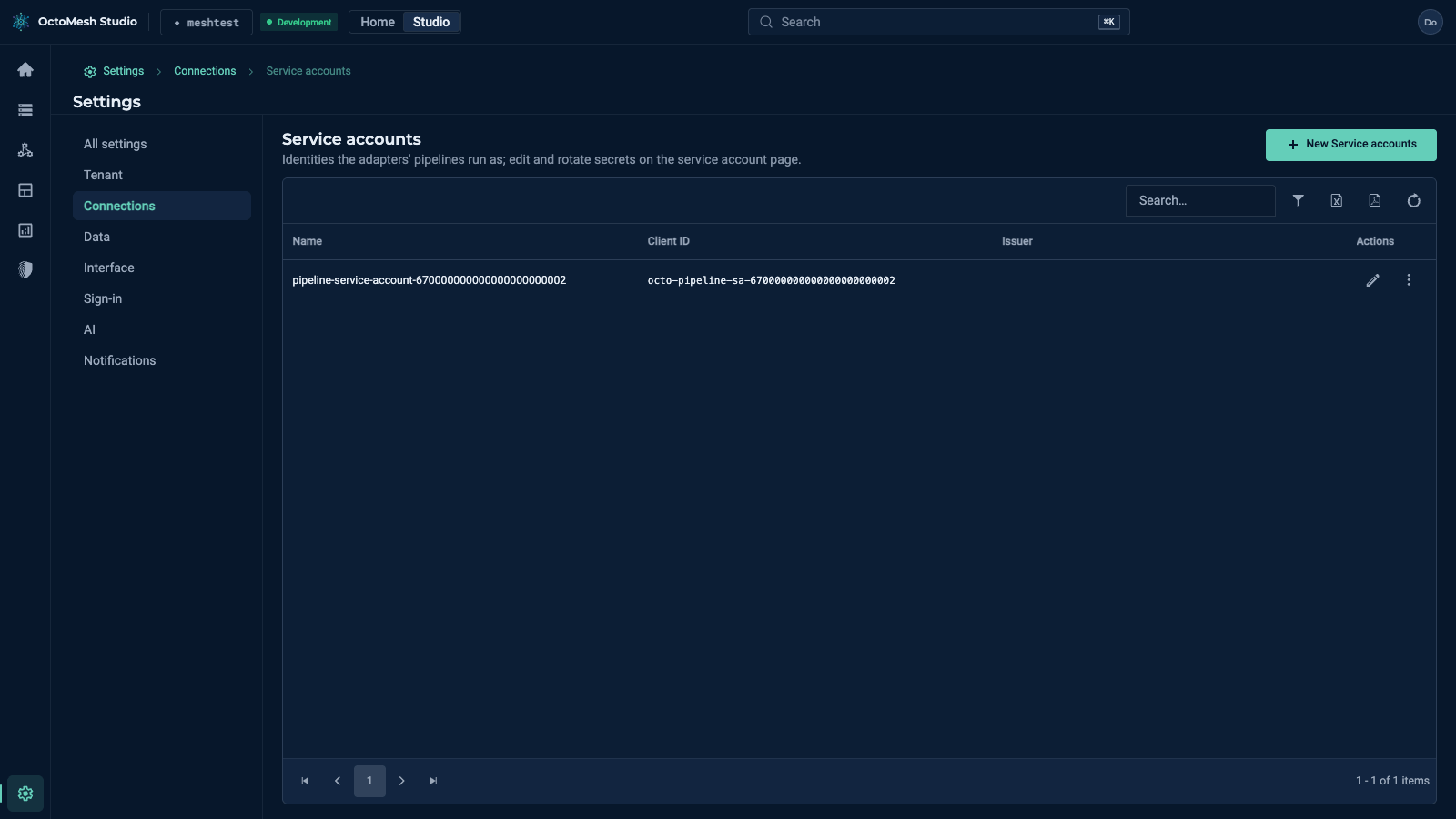
| Service accounts | Identities the adapters' pipelines run as; edit and rotate secrets on the service account page |
| SFTP configuration | Connection to an SFTP server (password or private-key authentication) |
| WeClapp configuration | WeClapp cloud ERP API used by the WeClapp adapter nodes |
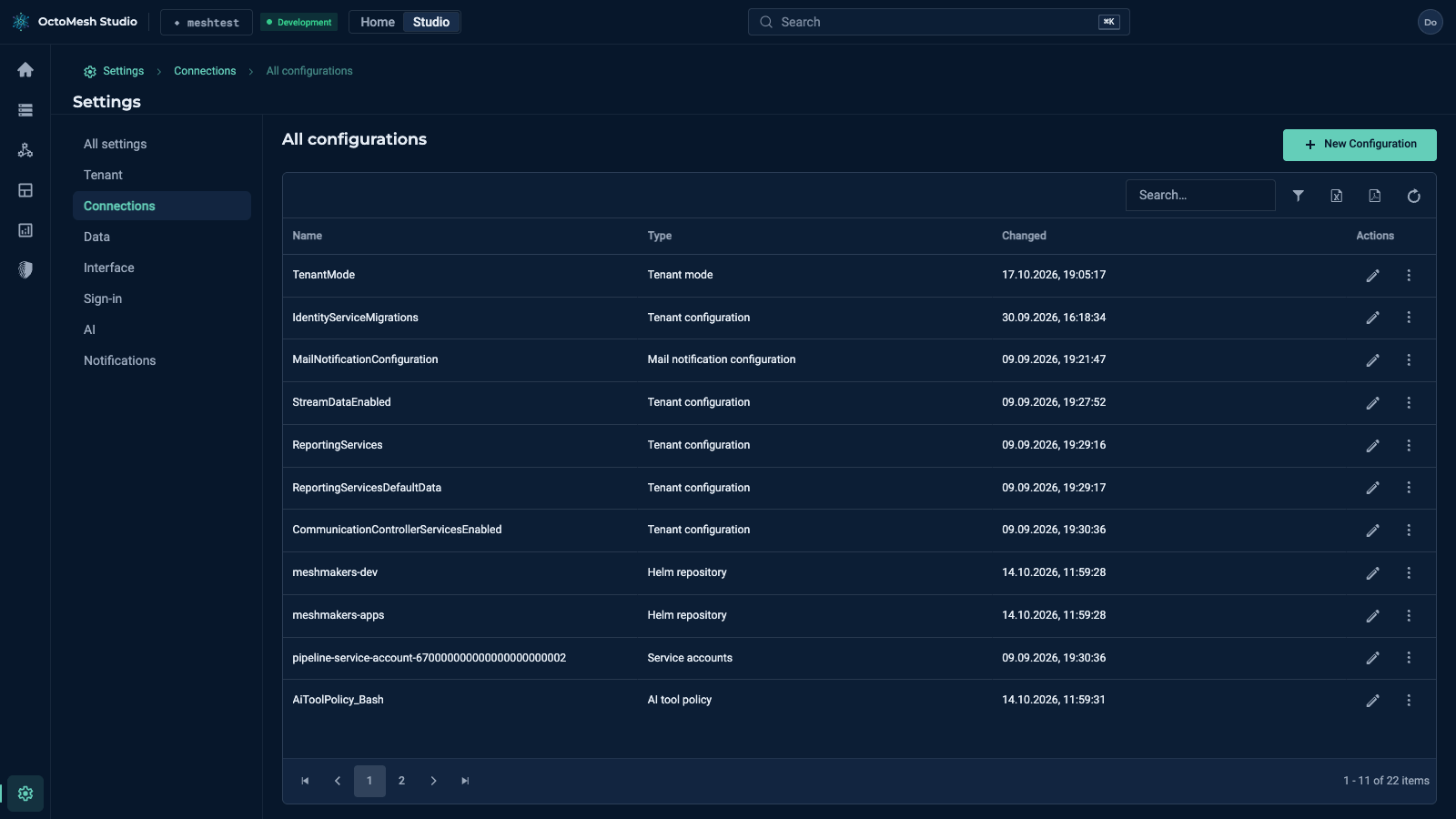
| All configurations | Every configuration of the tenant, including types without their own card |
A connection type
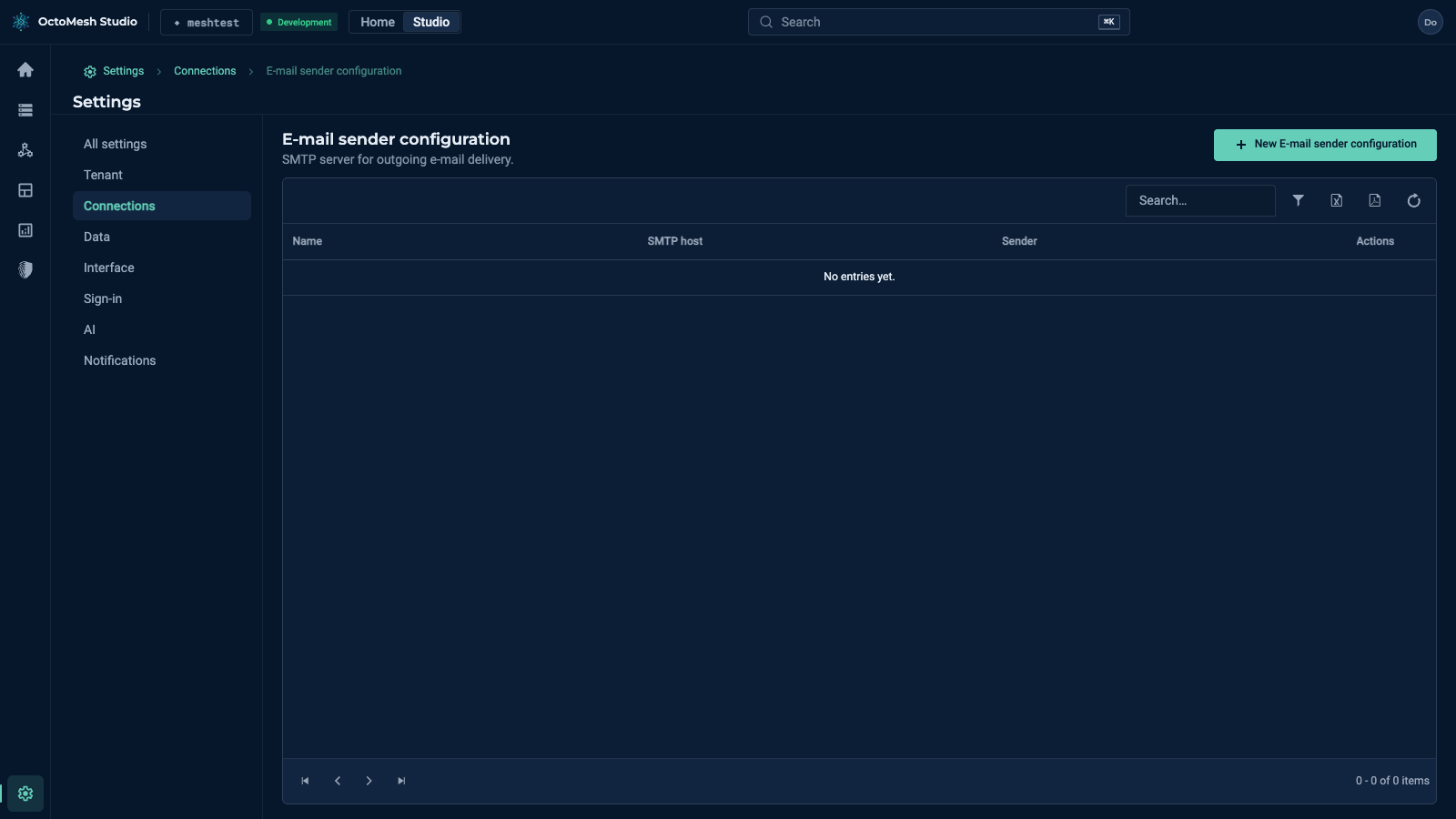
The list of a type, for example E-mail sender configuration, shows the entries with their key fields (Name, SMTP host, Sender) and the actions New E-mail sender configuration, the usual Export to Excel, Export to PDF and Refresh Data. Without entries the list says "No entries yet". The form of an entry shows the fields of the type.
The form of an entry shows the fields of its type, here a new e-mail sender configuration and a new SAP configuration (nothing is saved until you click Save):
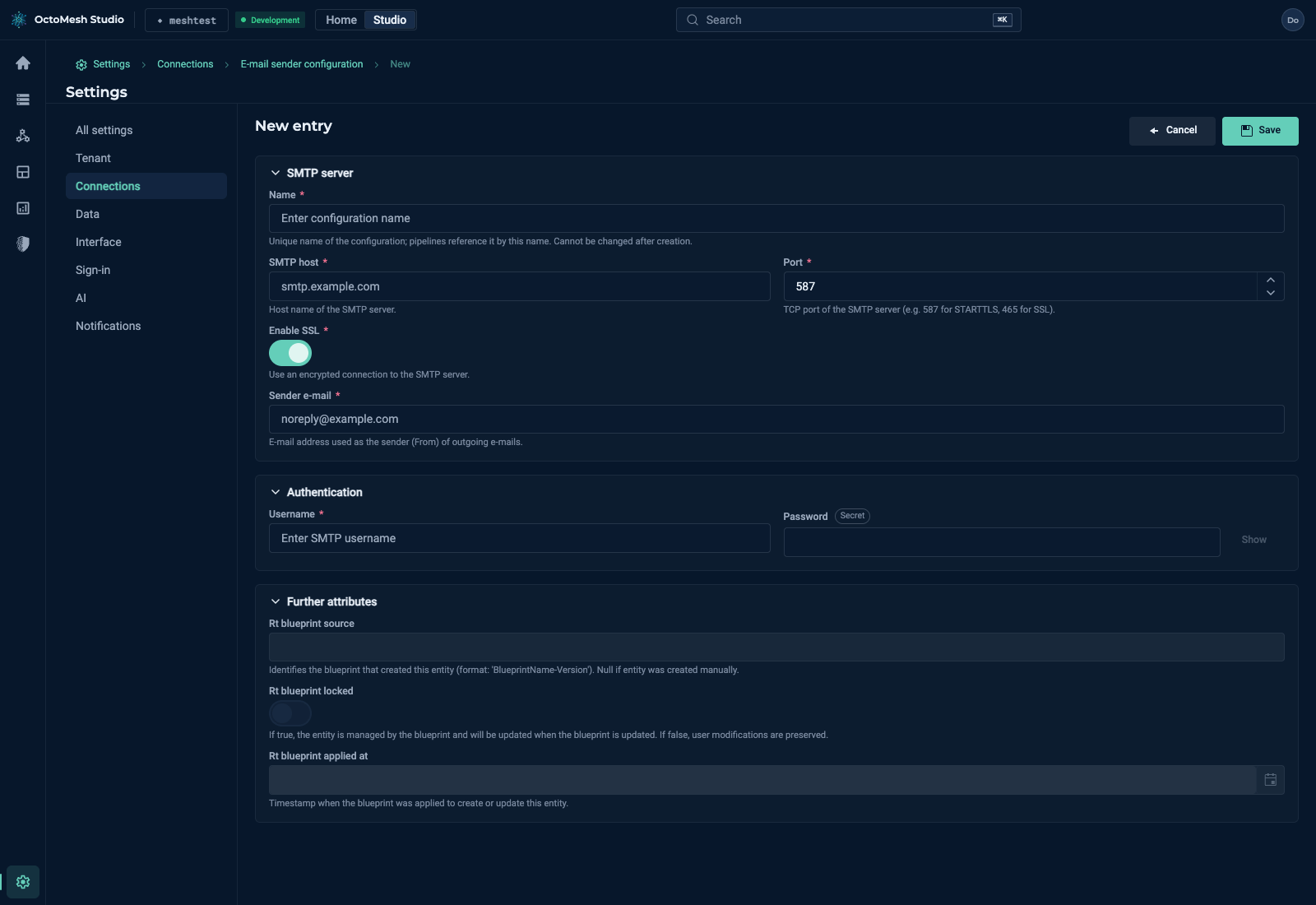
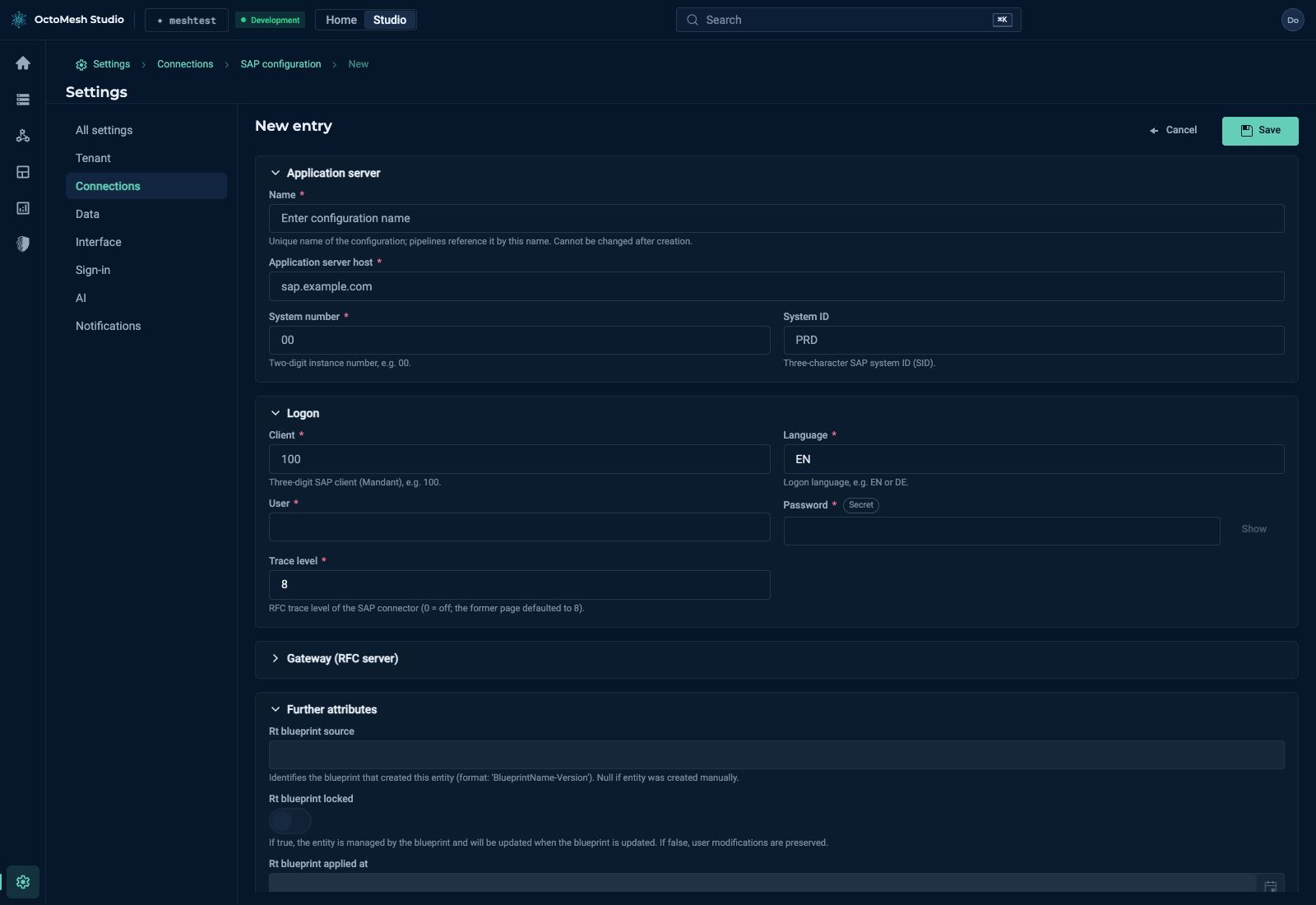
Secret fields (passwords, client secrets, tokens) are write-only: you enter a value, it is stored encrypted and never displayed again; the form and the Secrets page only show whether a value is set. Never write real servers, passwords or tokens into examples or tickets.
All configurations
Settings > Connections > All configurations lists every configuration of the tenant (Name, Type, Changed, Actions, for example Helm repositories, service accounts, tenant configuration and the mail notification configuration) and has the button New Configuration, the row filter and the usual exports. Use it for types that have no card of their own.
More
How pipeline nodes use these connections: for example SendEMail@1 and SapLogin@1; for the Microsoft 365 e-mail setup see Microsoft 365 e-mail.