Adapters
An adapter connects data sources to OctoMesh and runs data flows. Every adapter is hosted by a deployment site and runs a set of pipelines.
Open it with Integration > Adapters.
The list
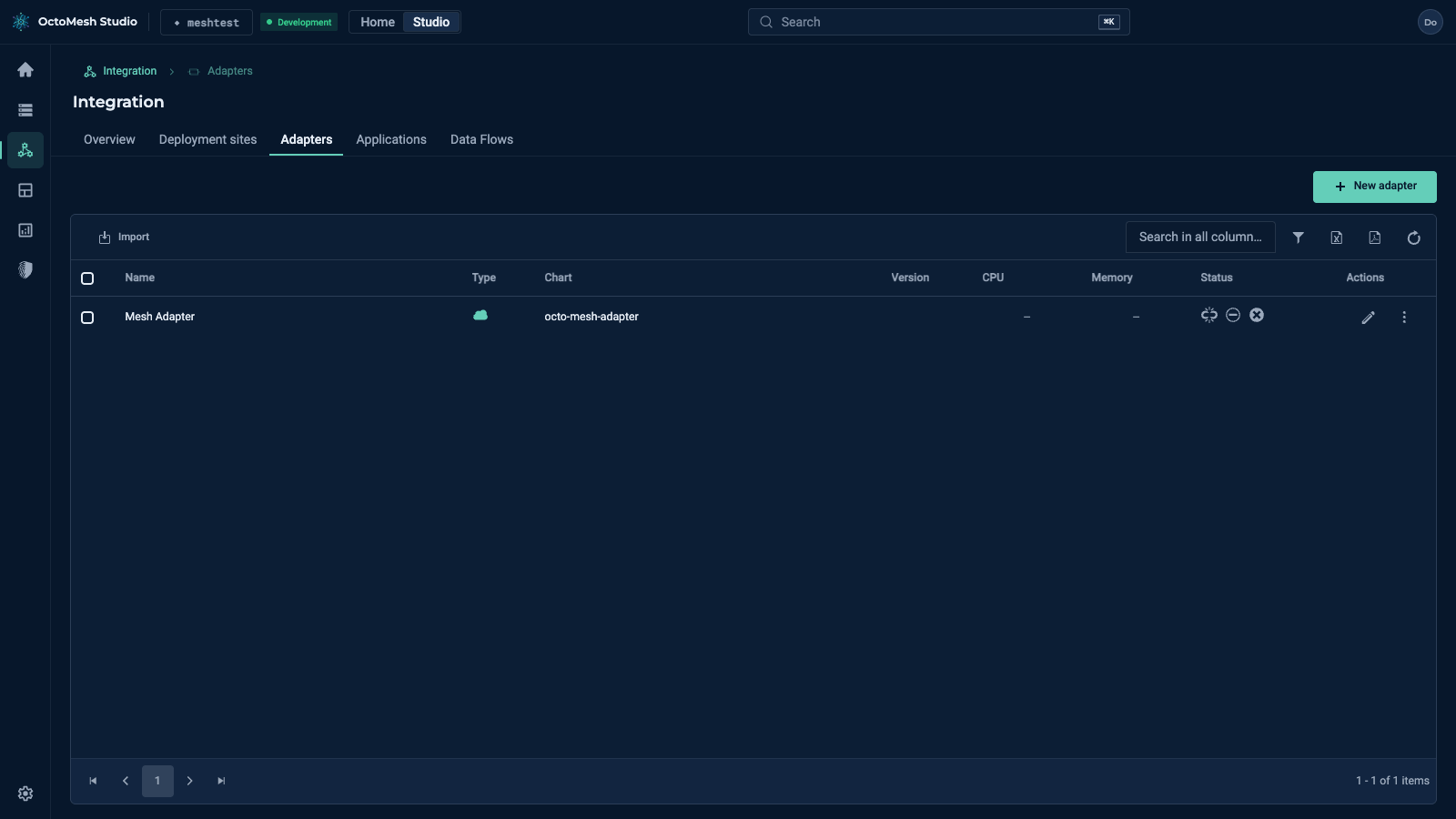
The columns are Name, Type, Chart, Version, CPU, Memory, Status and Actions. The toolbar has New adapter and Import. The Actions menu of a row offers Deploy adapter, Undeploy adapter, Wake adapter, Update configuration, Show events, Export, Copy ID and Delete.
Creating an adapter
New adapter opens a form with the sections General (name, deployment site, description), Runtime (the adapter configuration as JSON, and the Lifecycle mode: AlwaysOn, or OnDemand, which scales the adapter to zero when it is idle), Helm deployment (Helm repository, chart name, chart version — empty means the newest chart —, values.yaml, whether the adapter receives cluster secrets, public ingress) and System. Confirm with Create.
The details
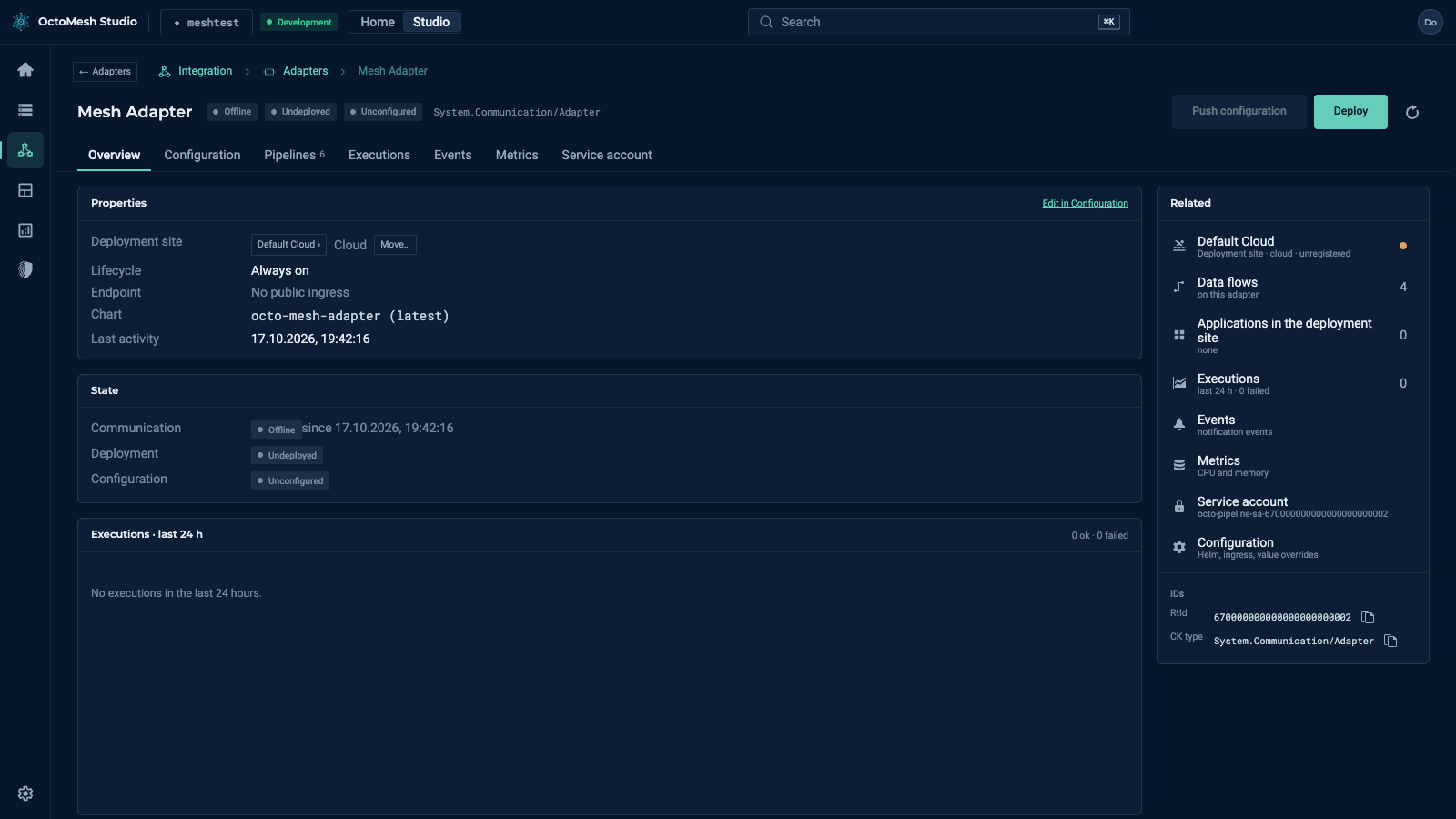
A click on an adapter opens its page. The header shows the communication state (Online), the deployment state (Undeployed, Pending, Deployed, Error) and the buttons Push configuration (send the current pipelines and the adapter configuration to the running adapter) and Deploy (deploy with the newest chart of the configured repository).
| Tab | Content |
|---|---|
| Overview | Deployment site (with Move…), lifecycle, endpoint, chart, last activity, states, executions of the last 24 hours, activity and related items. |
| Configuration | The form of the adapter, including the Helm deployment. |
| Pipelines | The pipelines of the adapter. |
| Executions, Events, Metrics | Runs, notification events, CPU and memory. |
| Service account | The identity the pipelines run as (see Pipeline Identity). |
An adapter that uses the on-demand lifecycle shows Hibernated when it is scaled to zero; Wake adapter brings it back. See On-Demand Lifecycle.
More
Adapters in the Technology Guide describes the adapter types and the state fields.