Tenant
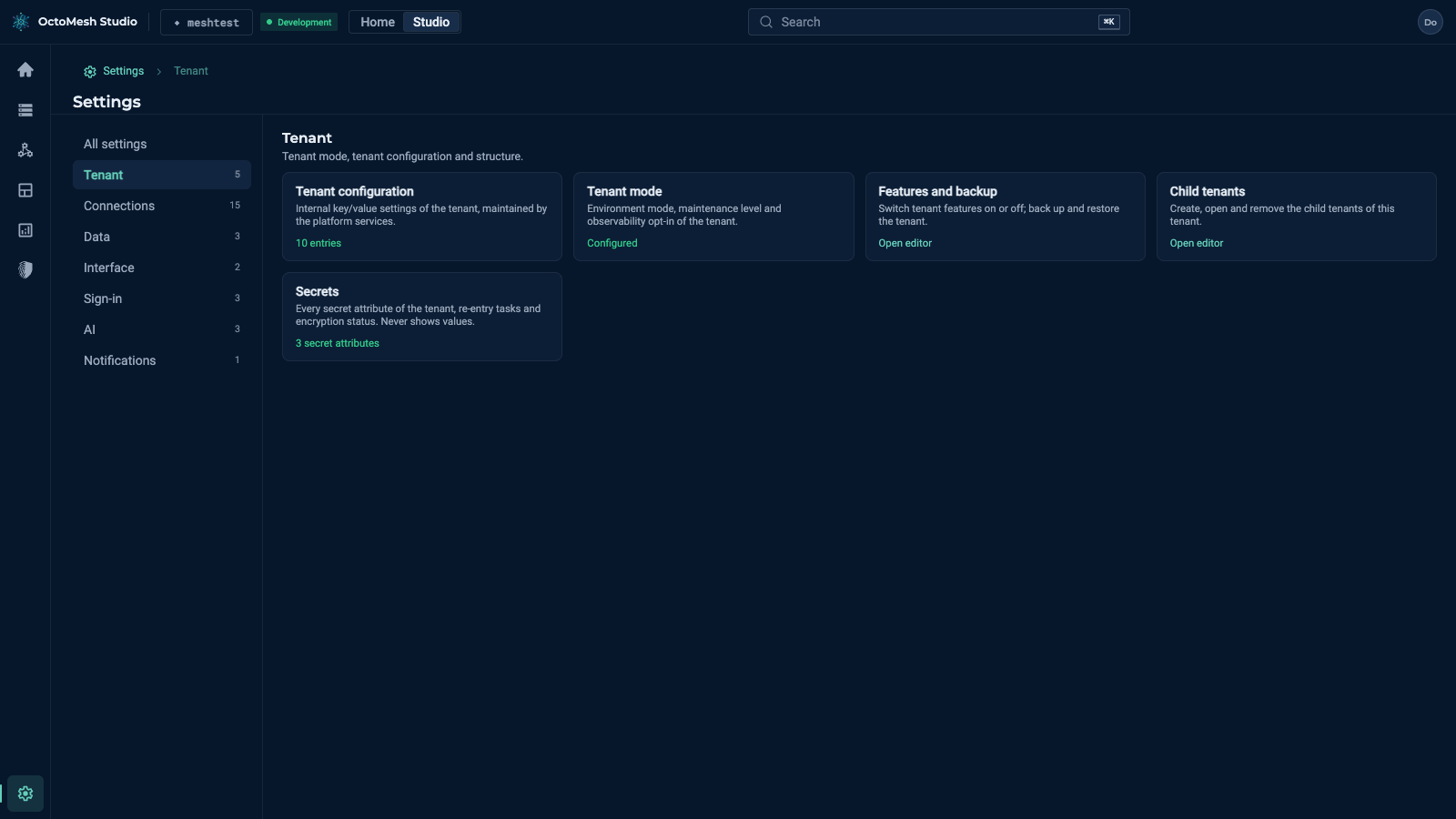
Settings > Tenant has five cards.
Tenant mode
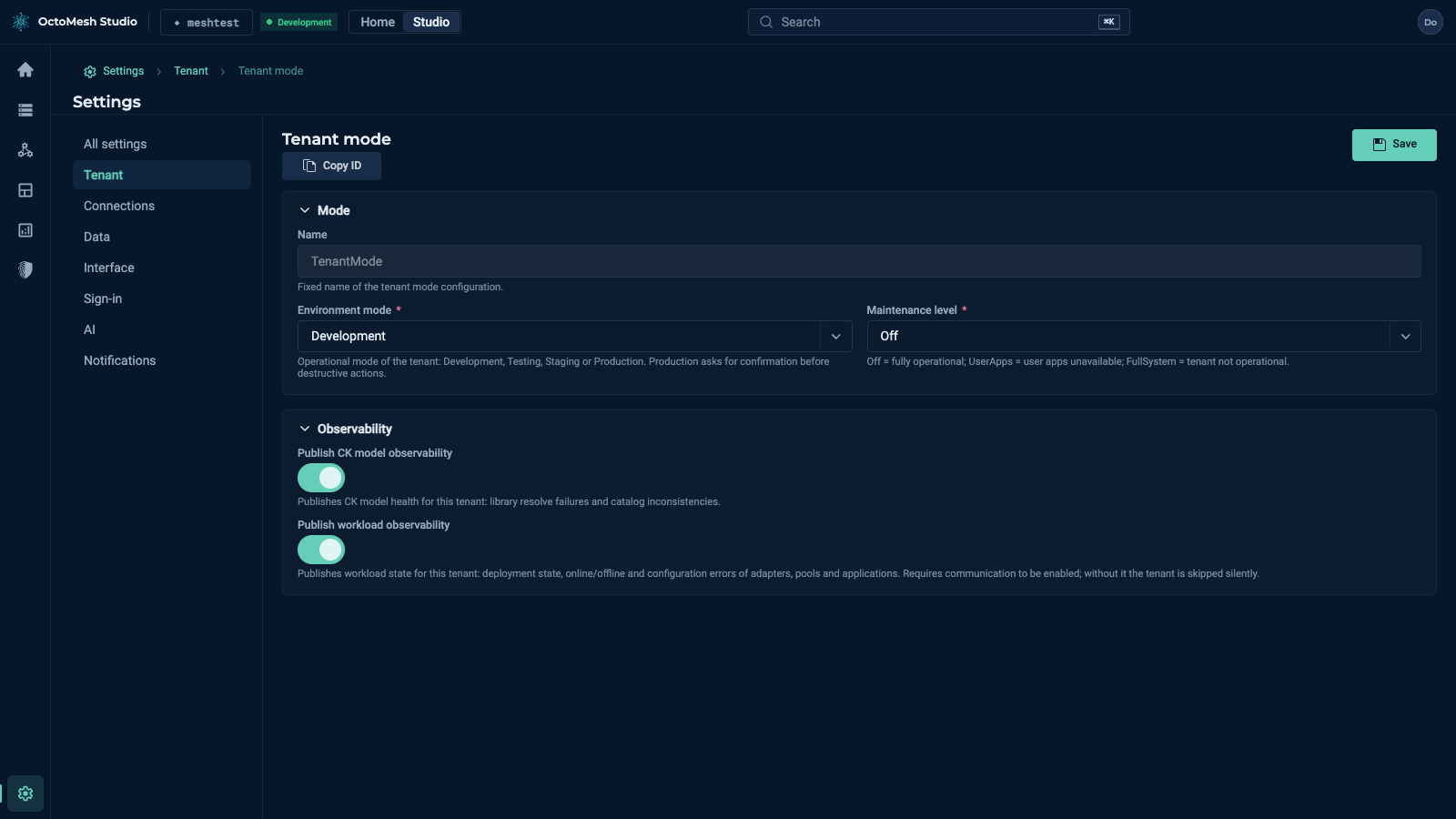
Settings > Tenant > Tenant mode is a form of one entry. Save stores it; Copy ID copies its id. The fields:
| Field | Description |
|---|---|
| Name | Fixed name of the tenant mode configuration (read only). |
| Environment mode | Development, Testing, Staging or Production. Production asks for confirmation before destructive actions. The mode is also shown as the chip next to the tenant name in the top bar. |
| Maintenance level | Off (fully operational), UserApps (user apps unavailable) or FullSystem (tenant not operational). |
| Publish CK model observability | Publishes the health of the CK models of this tenant (library resolve failures, catalog inconsistencies). |
| Publish workload observability | Publishes the state of workloads (deployment state, online/offline and configuration errors of adapters, deployment sites and applications). Needs communication to be enabled; without it the tenant is skipped silently. |
Tenant configuration
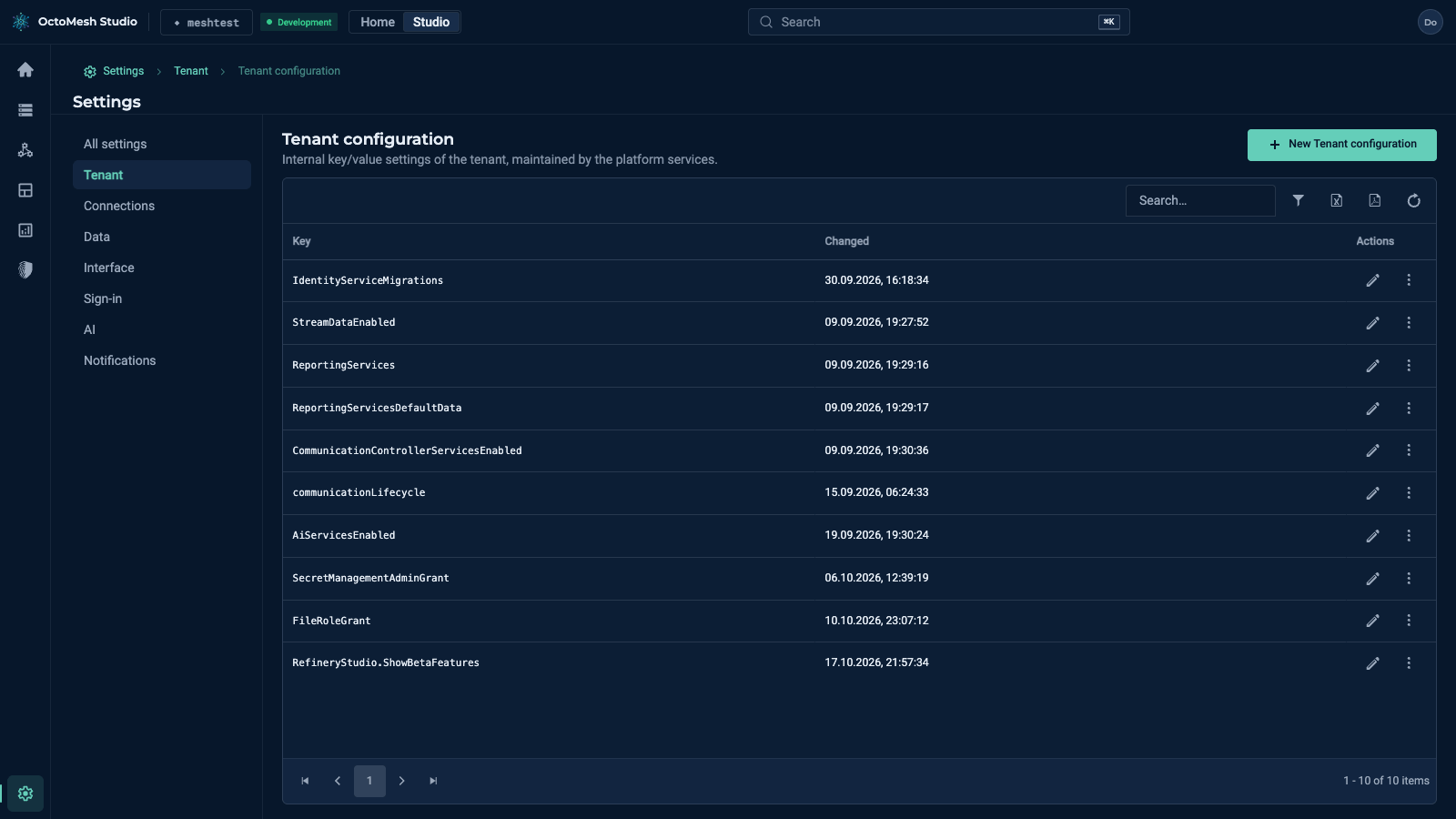
Settings > Tenant > Tenant configuration lists internal key/value settings that the platform services maintain (for example StreamDataEnabled, AiServicesEnabled, communicationLifecycle). The columns are Key, Changed and Actions; New Tenant configuration adds an entry. An entry has a Key (cannot be changed after creation; services look the value up by this name) and a Value ("Serialized value as written by the platform services"). Changing a value changes platform behaviour; edit it only when instructed.
Features and backup
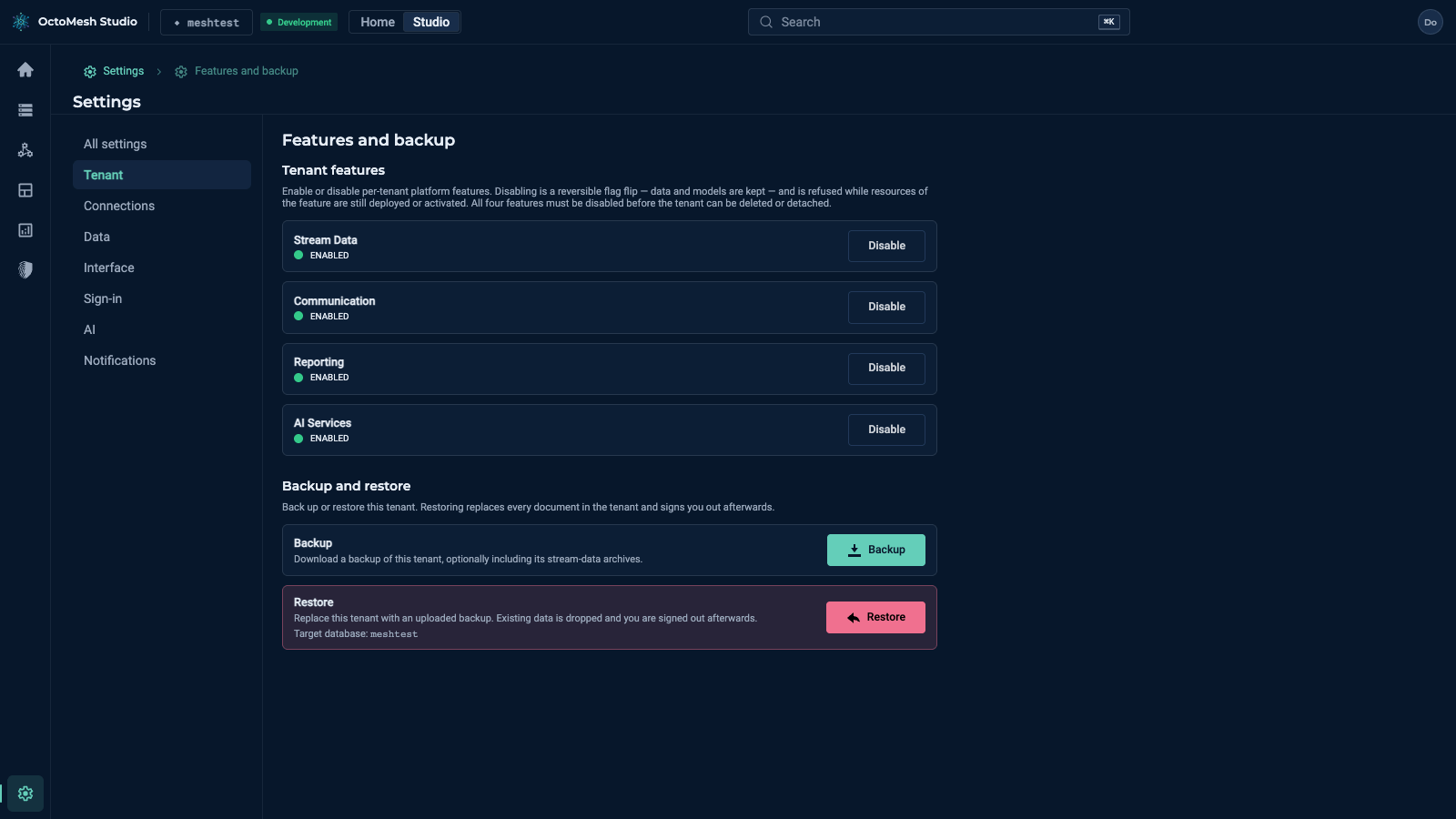
Settings > Tenant > Features and backup has two parts:
- Tenant features: Stream Data, Communication, Reporting and AI Services each show ENABLED (or a note such as "enabled, but not installed") and a Disable button. Disabling is a reversible flag; data and models are kept. It is refused while resources of the feature are still deployed or activated. All four features must be disabled before the tenant can be deleted or detached.
- Backup and restore: Backup downloads a backup of this tenant, optionally including its stream data archive. Restore replaces every document in the tenant and signs you out afterwards.
Child tenants and Secrets
See Child tenants, Admin provisioning and Secrets.
More
For tenants and their lifecycle see Tenant lifecycle in the Technology Guide.