Data mappings
Data mappings shows, for a tree of your tenant (for example the locations of a plant), how many data point mappings point to each node and lets you manage the mappings of a node. A data point mapping connects a source data point (for example a measuring point delivered by an adapter) to a node of the tree.
Data mappings is a beta area. It is only shown when beta features are on for the tenant (Settings > Interface > Beta features). Otherwise the address opens the page "Beta feature turned off", with a link to that setting. Nothing is deleted when the area is hidden.
Open it with Data > Data mappings in the rail. The page title in the breadcrumb is Mapping coverage.
The page
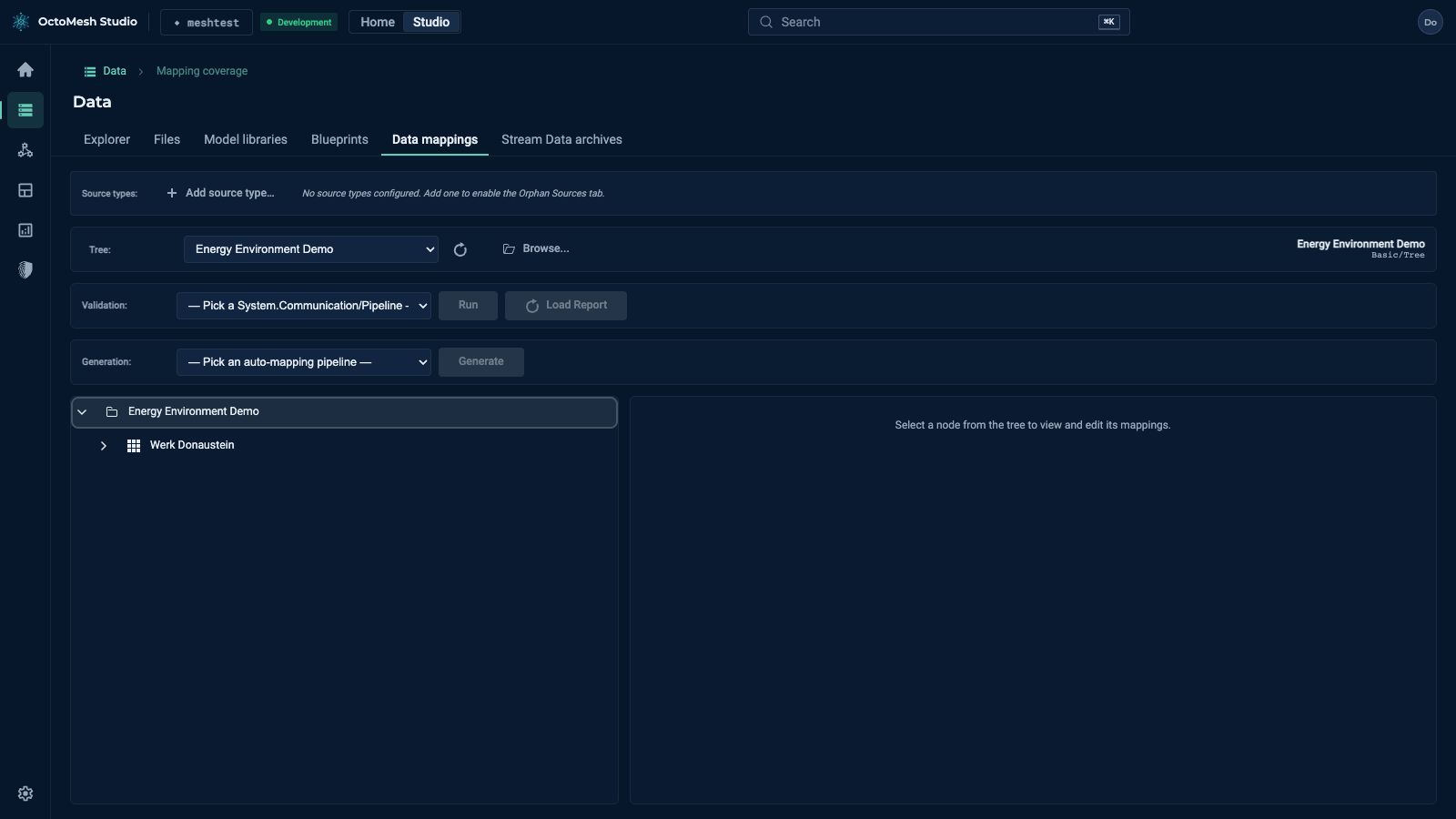
From top to bottom:
| Row | Purpose |
|---|---|
| Source types | The Construction Kit types of the imported source data points. Add source type… opens the dialog Add source CK type (model filter, type search, list of types with base type and description). Once a source type is configured, the Orphan Sources tab is enabled. The list is stored for the tenant and shared by all operators. |
| Tree | Pick a tree (a Basic/Tree entity such as Energy Environment Demo). The refresh button reloads the list, Browse... searches for a tree. The picked tree is shown on the right of the row. |
| Validation | Pick a pipeline and click Run to check the coverage; Load Report loads the last report. |
| Generation | Pick an auto-mapping pipeline and click Generate to create mappings automatically. |
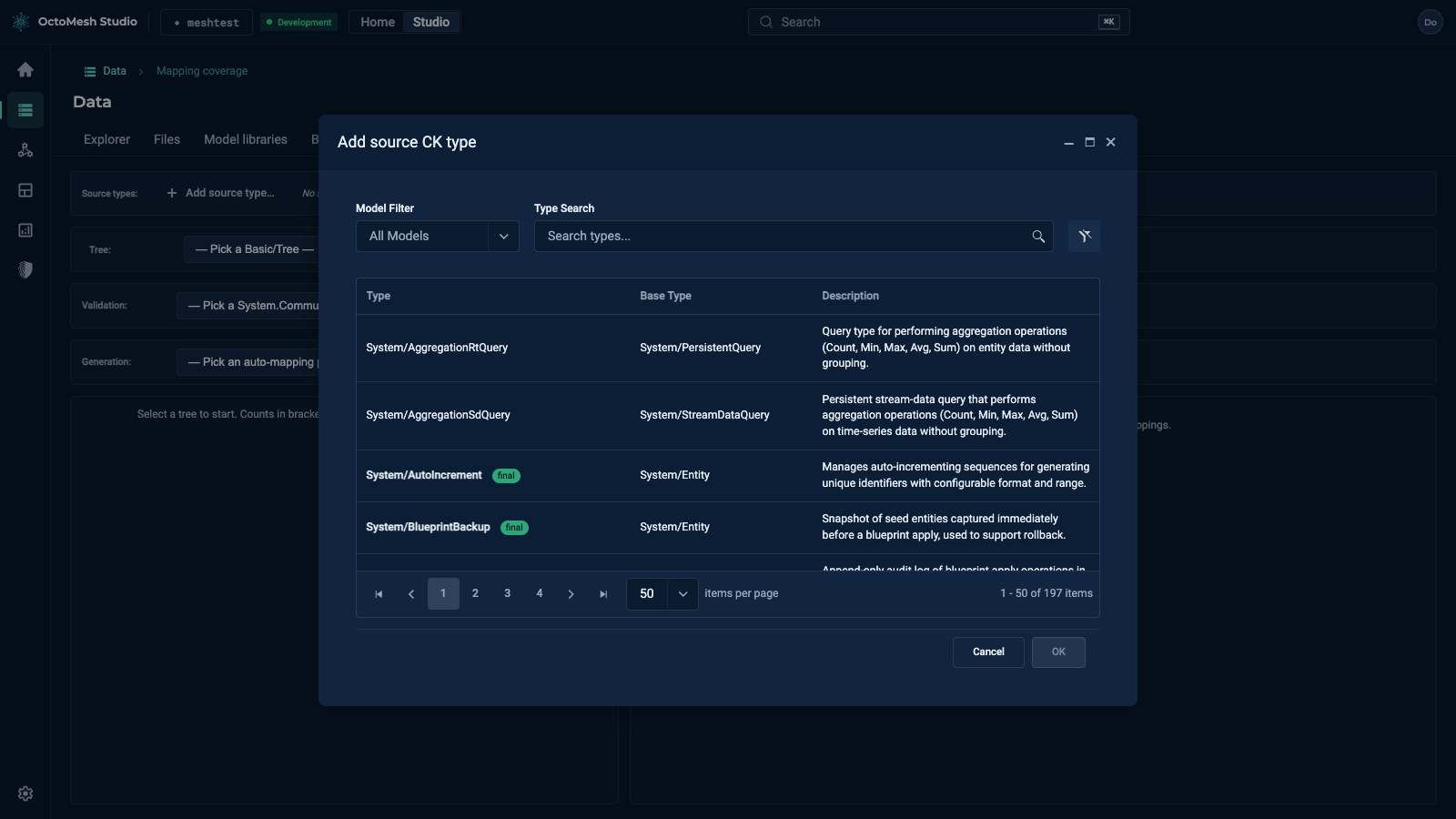
Below are two panes. The left pane shows the tree; the number in brackets behind a node says how many mappings point to it. Select a node to see its Mappings on the right: the name and id of the node, "0 mapping(s), 0 enabled" and the mappings with the button Add. A node without mappings shows "No mappings reference this node yet."
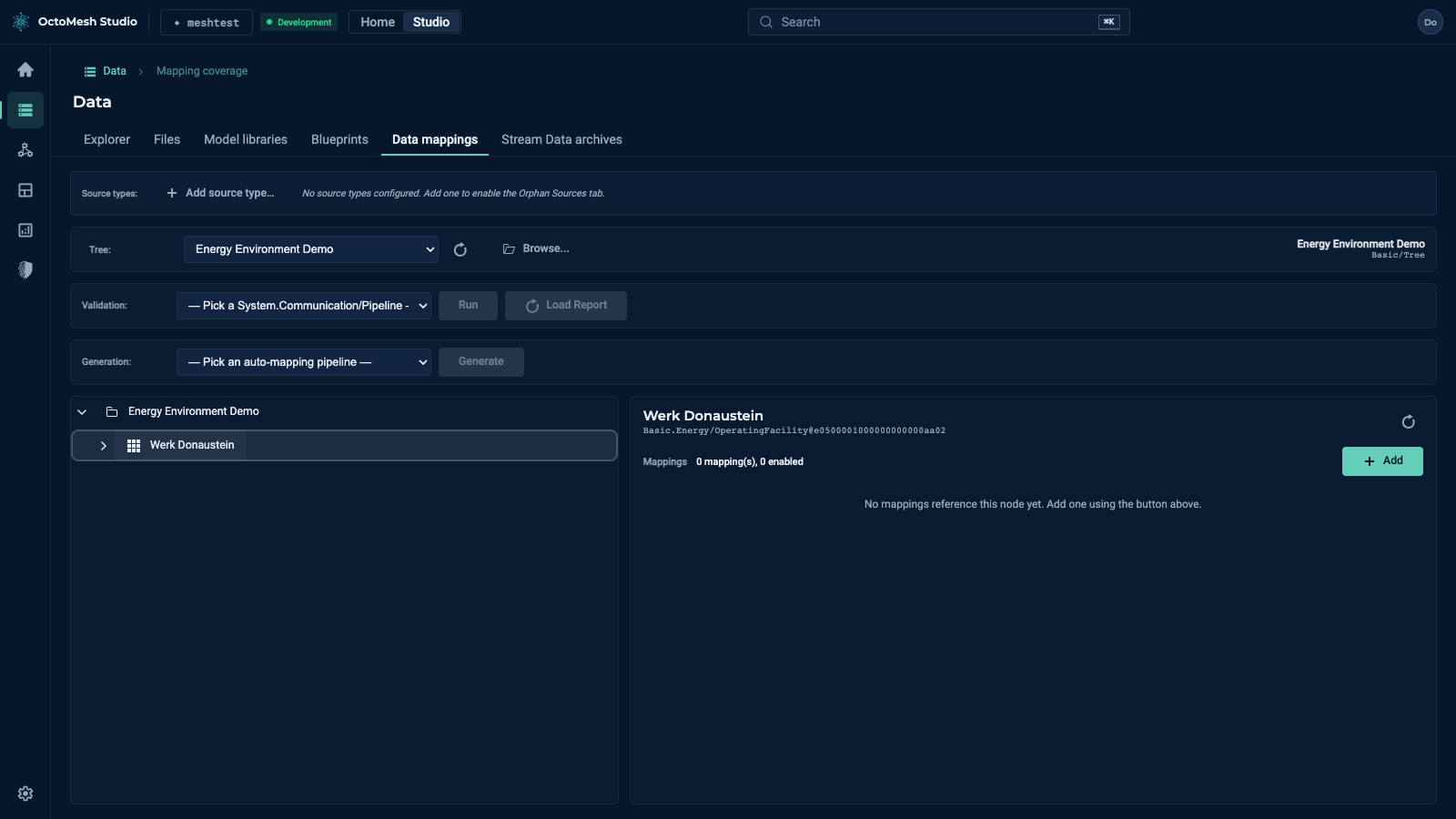
Add creates a new mapping for the selected node at once (named Mapping 1, Mapping 2, …). A mapping is a System.Communication/DataPointMapping entity with the attributes name, enabled, sourceAttributePath, mappingExpression and targetAttributePath; you can also find and edit it in the Explorer. Pipelines use the mappings of a tree to route imported data points to the entities of the tree. When several mappings of the same data point target the same entity (for example IsOn and DimmingLevel of a luminaire), the pipeline node ApplyDataPointMappings writes them as one update of that entity, so an archive stores one row per change and not one per mapping.