Settings
Settings holds the configuration of the tenant (never personal preferences: theme, density and language are in the account menu). In the rail it is pinned at the bottom, below the other areas. The area is shown to accounts with the role AdminPanelManagement; an account without it sees a category only when one of its pages is open to that account.
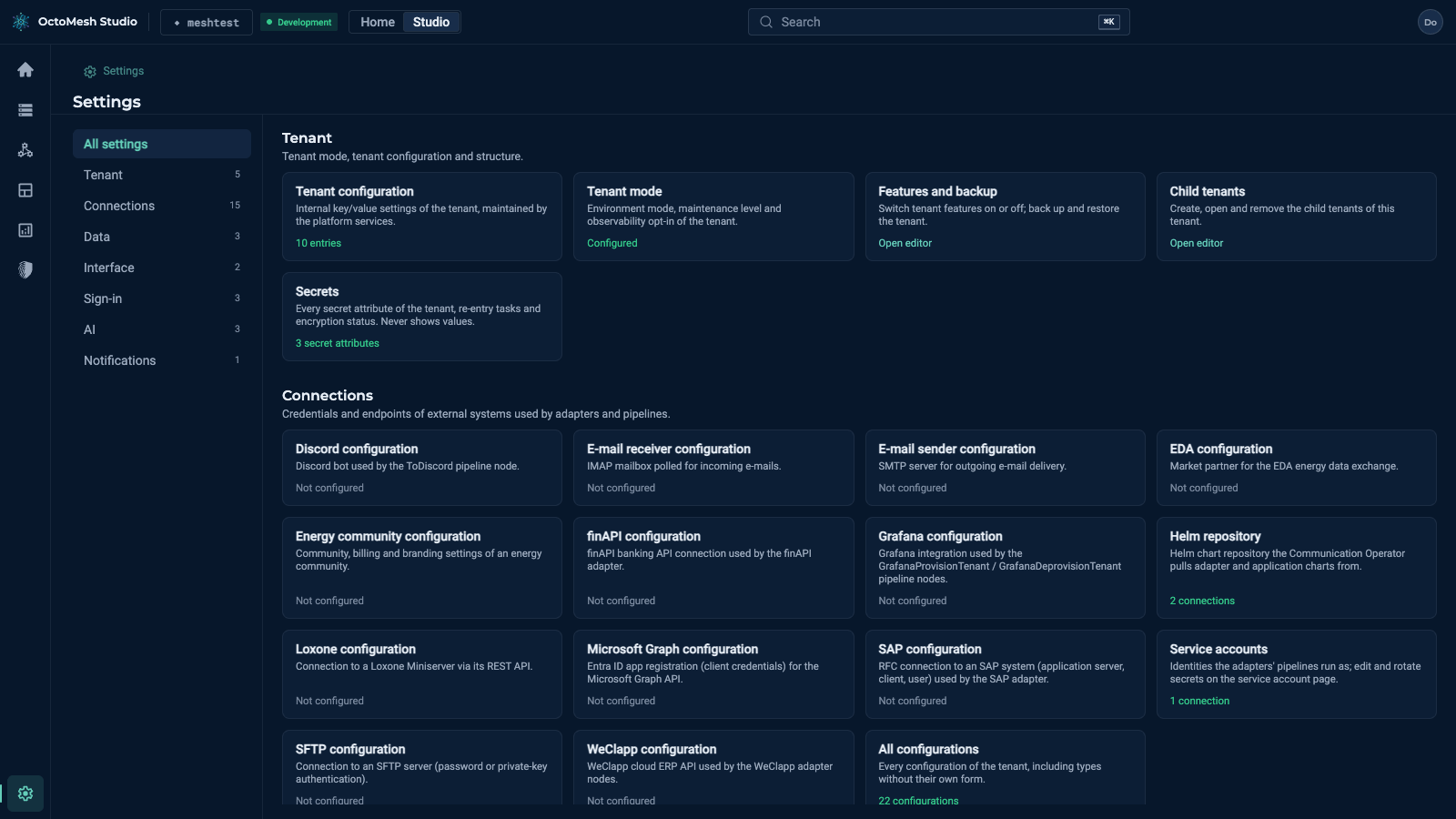
The page Settings shows one section per category with a card per setting. A card names the setting and shows its state ("Not configured", "10 entries", "Configured") or the button Open editor. The list All settings on the left of every Settings page switches between the categories; the number behind a category counts its entries.
| Category | Purpose |
|---|---|
| Tenant | Tenant mode, tenant configuration, features and backup, child tenants, secrets. |
| Connections | Credentials and endpoints of external systems used by adapters and pipelines. |
| Data | Data permissions, auto increments and fixup scripts. |
| Interface | Tree navigation and beta features. |
| Sign-in | Identity providers, e-mail domain rules and e-mail bindings. |
| AI | AI configuration, agent configuration and quota limits. |
| Notifications | Templates of the e-mails and messages the platform sends. |
Settings that hide secrets follow one rule: a secret value is never shown again after saving (it is write-only); the page shows only whether a value is set.