Secrets
Settings > Tenant > Secrets gives an overview of every secret attribute of the tenant, for example the password of a Helm repository or the client secret of a service account. The header counts them ("3 secret attributes, 1 set, 2 not set"). The tabs are Overview, Re-entry and Encryption.
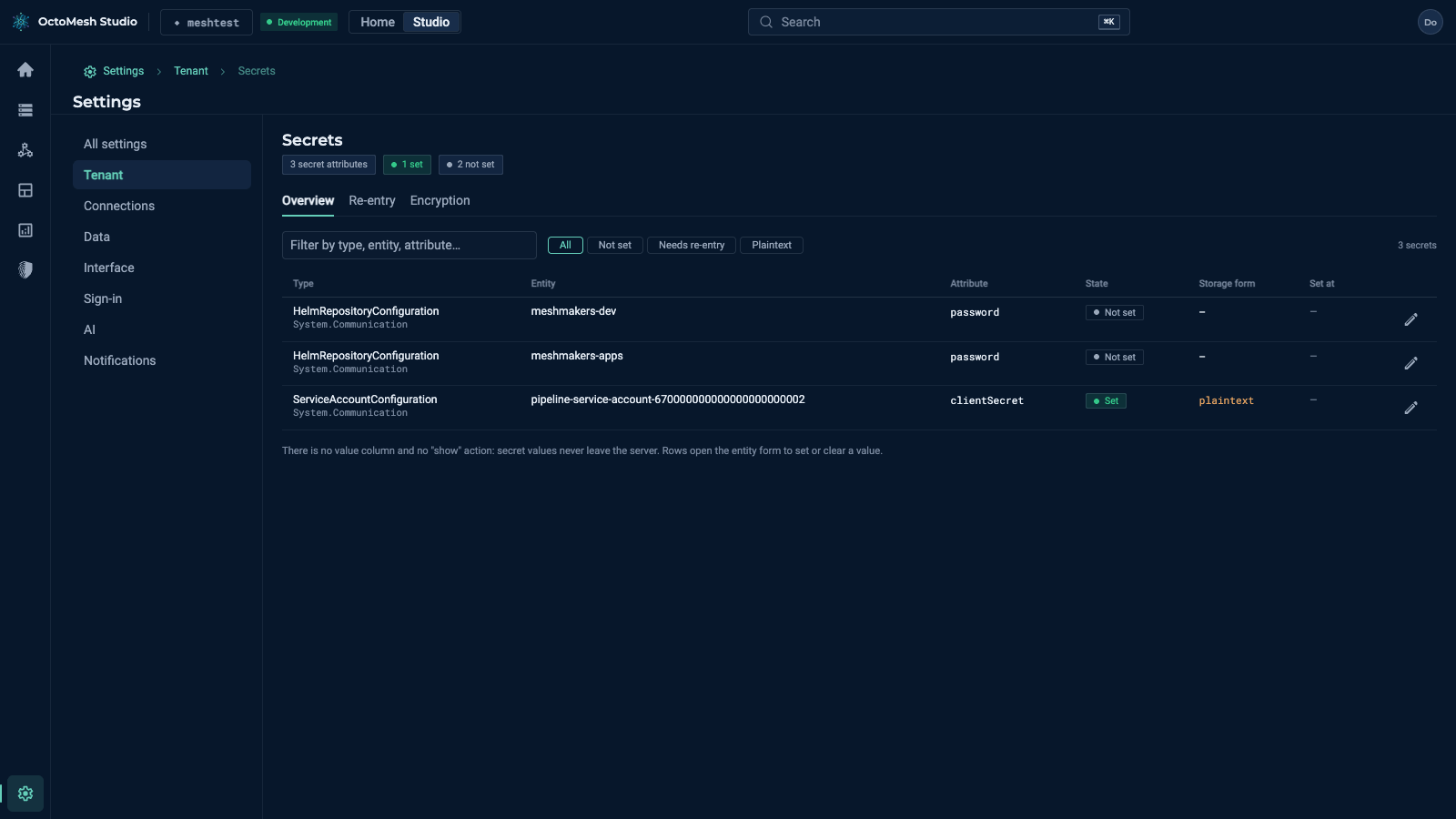
On Overview, filter by All, Not set, Needs re-entry and Plaintext. The columns are Type, Entity, Attribute, State (Set or Not set), Storage form (for example plaintext), Set at and Actions. There is no value column and no "show" action: secret values never leave the server. A row opens the form of the entity, where the secret is entered; the field is write-only.
Re-entry lists the secrets that have to be entered again (for example after a restore into another environment); Encryption shows the status of the encryption of secrets.
More
Background: Secret attributes and the secret encryption key ring in the Technology Guide.